Is it safe to delete ~/.gradle/caches? Which parts, and what comes back
Last updated: October 2026
Yes. Everything under ~/.gradle/caches is either
downloaded from a repository or generated by a Gradle version on first
use, and the next build does both again. Gradle marks the folder with
its own CACHEDIR.TAG saying so.
The cost is that next build: every dependency of every project re-downloads, and each Gradle version re-generates its own jars. On a large Android project that is ten minutes and a few gigabytes of network. One rule makes it safe: stop the daemons first, and delete whole stores, never files inside one.
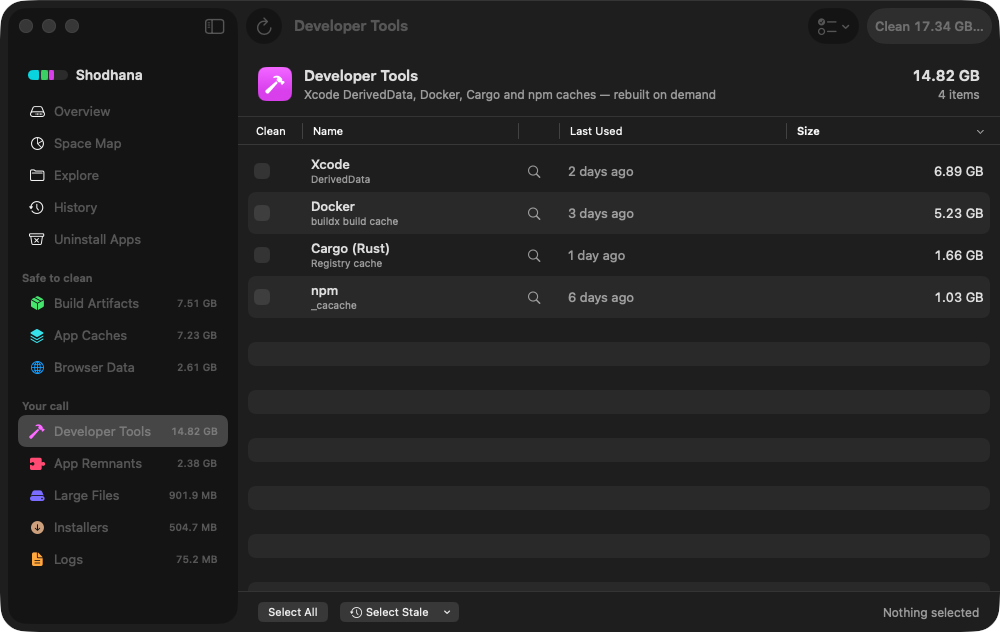
~/.gradle/caches: the
shared dependency store, and each Gradle version's own cache dated by
last use. The version untouched for four months is the one to drop; the
one from two days ago is the one your projects run on.Run this scan on your own Mac: download Shodhana — free for 14 days, Apple Silicon, macOS 14 or later.
What is actually in there
On the Mac this guide was written on, ~/.gradle was 17 GB.
The split:
~/.gradle/                     17 GB
  caches/                      15 GB
    modules-2/                 downloaded dependencies — the big one
    8.14.3/  8.14/  8.10.2/    one private cache per Gradle version
    jars-9/  transforms-4/     instrumented jars, artifact transforms
    build-cache-1/             local build cache: task outputs by input hash
  wrapper/dists/              2.2 GB — six Gradle distributions
  daemon/                     61 MB — daemon registry and logs
  jdks/                       JDKs the toolchain support downloaded
modules-2 is the shared dependency cache: every POM, JAR
and metadata file any project ever resolved, used by all Gradle versions.
Each caches/<version> folder is private to one Gradle
release — compiled build scripts, generated jars — and is recreated the
first time that version runs. The trailing numbers on
jars-9 and transforms-4 are on-disk format
versions; when a newer Gradle changes the format, the old folder stays
behind until cleanup notices.
Why it grows: every project pins its own Gradle
Android Studio projects run through the wrapper, and the wrapper pins a
Gradle version per project in gradle-wrapper.properties.
Open a project from last year and it downloads Gradle 8.3; start a new one
and it downloads 9.1. Each version brings a distribution under
wrapper/dists and a private cache under caches/,
and neither is removed when the project that needed it is.
Gradle does clean up after itself, on paper: version caches unused for 30 days, distributions with no matching version cache, dependency files untouched for 30 days. But the cleanup runs when a daemon stops cleanly, and Android Studio daemons are more often killed than stopped. The Mac above had six distributions on disk — 7.5, 8.3, 8.10.2, 8.14, 8.14.3 and 9.1.0 — and version caches for three. The cleanup that should have handled that had not.
Which versions your projects still use
The pinned versions are in every project's wrapper properties file. Point this at the folder your projects live in:
find ~/code -maxdepth 4 -name gradle-wrapper.properties -exec grep -h distributionUrl {} \; \
  | sed -E 's/.*gradle-([0-9.]+)-(bin|all).*/\1/' | sort -u
Compare with what is on disk:
ls ~/.gradle/caches ~/.gradle/wrapper/distsAny version in the second list and not the first is a distribution and a cache nothing you have will ask for again. On the Mac above that was 7.5, 8.3, 8.10.2 and 8.14 — four of six.
Delete safely
Stop every daemon first. A running daemon holds the caches open and trusts its own index; deleting underneath it is how a cache ends up half-present and worse than empty. From any project:
./gradlew --stopThen remove whole stores. A superseded version's cache and its distribution together:
mv ~/.gradle/caches/8.10.2 ~/.gradle/wrapper/dists/gradle-8.10.2-all ~/.Trash/Or the entire dependency cache, when the disk matters more than the next build's download time:
mv ~/.gradle/caches/modules-2 ~/.Trash/Or, if the whole thing is a mystery you would rather restart from nothing, the folder itself — it is the one Gradle directory that is entirely cache:
mv ~/.gradle/caches ~/.Trash/Do not delete: files inside a store
~/.gradle/caches/modules-2/files-2.1/some.group/…
A store is a whole. modules-2 keeps an index of what it
holds beside the files themselves; remove one artifact's folder by hand
and the index still lists it, the build trusts the index, and the
failure is a resolution error with the right file "present". The unit
of deletion is the store — modules-2, 8.10.2,
transforms-4 — never something inside one.
Two neighbours worth knowing. ~/.gradle/daemon is logs and
a registry, safe to clear, rarely large. ~/.gradle/jdks holds
JDKs that the toolchain support downloaded because a project asked for a
specific Java; delete one and the next build of that project downloads it
again.
Read next
-
Homebrew, npm, pnpm and cargo cache sizes
Every toolchain cache in one table, with the command that clears each and what it costs.
-
Xcode's iOS DeviceSupport is 40 GB — which versions to keep
The same shape of problem on the Xcode side: one folder per version, nothing ever pruned.
-
node_modules is eating my disk — what to do
The count-them-all command, and the four cases where reinstalling will not reproduce what you deleted.
Shodhana lists each child of ~/.gradle/caches
as its own row under Developer Tools — the shared stores and every Gradle
version's cache, dated by last use — so a superseded version can go while
the one your projects run on stays. ~/.gradle/daemon is one
row; each project's build/ and .gradle/ folder
appears under Build Artifacts, attributed to the project. The wrapper
distributions it leaves to you.
See the developer view.
Download the free trial Buy for $19, once Apple Silicon · macOS 14 or later · 14-day refund