node_modules is eating my disk — what to do
Last updated: October 2026
A node_modules folder is reproducible from
package.json plus a lockfile. If both are present and
committed, deleting it costs you one install.
The condition is doing real work: reinstalling needs the network, the registry, and a toolchain that still builds the same native modules. Four cases break that — they are listed below, and every one of them shows up on old projects, which is exactly what you are about to delete.
Count them without double-counting
The trap in every version of this command you will find elsewhere is
nested node_modules. Without -prune,
find descends into dependencies' own dependency folders and
reports each one again inside its parent's total.
find ~ -name node_modules -type d -prune -print0 2>/dev/null \
  | xargs -0 du -sh | sort -h
-prune tells find to stop descending once it has
matched, so each top-level folder is counted exactly once.
Sort by what you can actually afford to lose
Size alone is the wrong signal — the biggest folder is usually your current project. What you want is size next to last activity, so abandoned projects sort themselves to the top of the delete list:
find ~ -name node_modules -type d -prune 2>/dev/null | while read -r d; do
  p=$(dirname "$d")
  printf '%s\t%s\t%s\n' \
    "$(du -sh "$d" | cut -f1)" \
    "$(git -C "$p" log -1 --format=%as 2>/dev/null || echo no-git)" \
    "$p"
done | sort -h
1.2G 2026-07-30 /Users/you/work/current-app1.9G 2024-02-11 /Users/you/side/old-dashboard2.4G no-git /Users/you/Downloads/tutorial-clone
That last column is the decision. A 2.4 GB folder from a tutorial you followed once is free space. A 1.2 GB folder from last week is your job.
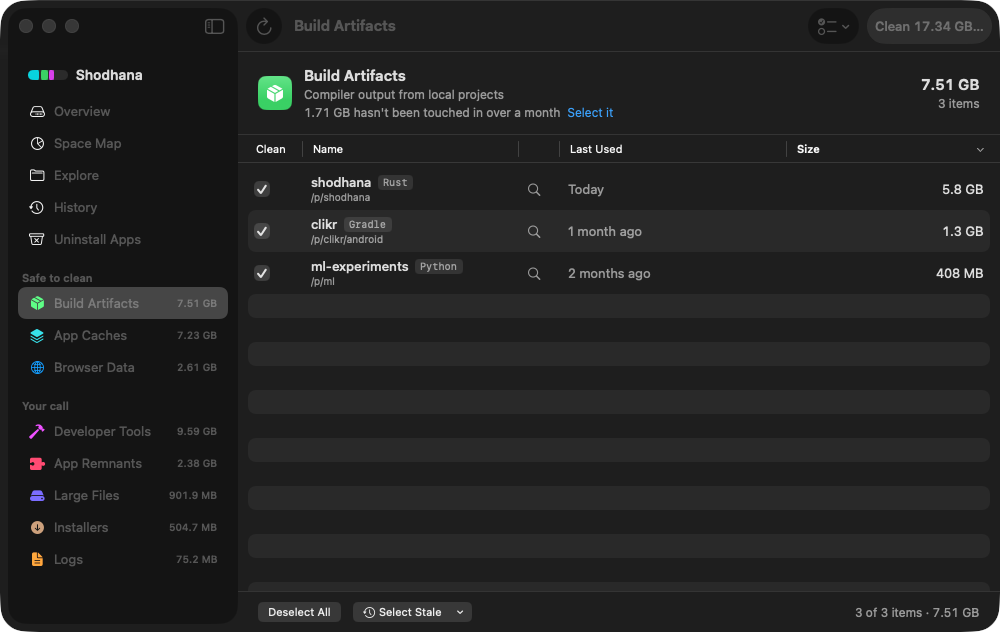
Run this scan on your own Mac: download Shodhana — free for 14 days, Apple Silicon, macOS 14 or later.
The four cases where reinstall does not work
Each of these is more likely the older the project, which makes them correlate precisely with the folders you are most tempted to delete.
- No lockfile. Without
package-lock.json,yarn.lock, orpnpm-lock.yaml, a reinstall resolves to whatever satisfies the ranges inpackage.jsontoday. You get different code than you deleted, and a project that built fine may not. - Packages that are gone. Versions get unpublished and
packages get removed. A lockfile pinning a version nobody serves any more
is a project that can never be installed again — the copy in
node_moduleswas the last one. - Private registries. Scoped packages from a former employer's registry, or anything behind a token that has since expired, will not resolve. The lockfile is honest; you simply have no access.
- Native modules. Anything compiled through
node-gyprebuilds against your current Node version and system toolchain. Old projects routinely fail here — the module needs a Python or a compiler you upgraded past years ago.
The cheap insurance: before deleting an old project's folder, confirm the
lockfile is committed. That takes two checks, because a missing lockfile
and a clean one are both silent in git status.
git -C ~/side/old-dashboard ls-files -- '*lock*'This must print a lockfile name. Silence here means there is no lockfile in the repository at all — never written, or ignored — and nothing records which versions actually worked.
git -C ~/side/old-dashboard status --short -- '*lock*'This must print nothing. Anything printed means the lockfile is modified
or untracked, and deleting node_modules throws away the only
copy of what the last working install resolved to.
Delete safely
Send them to the Trash rather than rm -rf, so a mistake is
recoverable for as long as you leave the Trash alone:
find ~/side ~/Downloads -name node_modules -type d -prune -print0 2>/dev/null \
  | while IFS= read -r -d '' d; do
      mv "$d" ~/.Trash/"$(basename "$(dirname "$d")")-node_modules-$RANDOM"
    done
Each folder is renamed on the way in — project name first, then a random
suffix — because every one of them is called node_modules, and a
plain mv into the Trash would nest the second inside the first
and fail on the third. -print0 and read -d '' keep
paths with spaces intact.
Note the explicit directories. Running this rooted at ~ will
also take the project you have open right now.
Stop it recurring: use a shared store
npm and Yarn Classic copy every dependency into every project, so twelve projects sharing one 400 MB dependency tree cost you 4.8 GB. pnpm keeps one content-addressed copy in a global store and hard-links it into each project. The twelve projects then cost roughly 400 MB in total.
pnpm store pathpnpm store prune
store prune drops packages no project references any more. It
is safe — anything still linked is retained by definition.
Monorepos count differently
In a workspace-based repo you have a root node_modules plus
one inside each package. -prune only stops descending
inside a folder it has matched, so
packages/api/node_modules is still found and reported — it is
not nested within the root node_modules, just alongside it.
That is the behaviour you want. It also means a single monorepo can produce a dozen rows in the listing above, and the total for the repo is the sum of them rather than any one line. If you are deciding whether a monorepo is worth deleting, total it explicitly:
find ~/work/monorepo -name node_modules -type d -prune -print0 2>/dev/null \
  | du -ch --files0-from=- 2>/dev/null | tail -1
On a Mac without GNU coreutils, du has no
--files0-from; brew install coreutils and use
gdu, or simply add up the rows from the earlier command.
The package cache is a separate thing
Deleting node_modules does not touch your package manager's
download cache, which is its own multi-gigabyte item:
| Manager | Cache location | Clear with |
|---|---|---|
| npm | ~/.npm/_cacache | npm cache clean --force |
| pnpm | pnpm store path | pnpm store prune |
| Yarn | yarn cache dir | yarn cache clean |
Clearing these costs only re-download time. Full sizes and commands for every other toolchain are on the cache sizes page.
Read next
-
Homebrew, npm, pnpm and cargo cache sizes
Every toolchain's cache in one table, with what clearing each one costs.
-
Docker.raw is 60 GB on my Mac
Why deleting images inside Docker does not shrink the file on your disk.
-
Where did my Mac's disk space go?
If you deleted gigabytes and free space did not move, start here.
Shodhana does this check for you: every
node_modules matched back to its project's manifest and lockfile,
sized, dated by last use, and never confused with a folder that merely shares
the name. See the developer view.
Download the free trial Buy for $19, once Apple Silicon · macOS 14 or later · 14-day refund