Docker.raw is 60 GB on my Mac
Last updated: August 2026
You deleted every image, pruned every container, and
Docker.raw is still 60 GB. Nothing is broken. You freed space
inside Docker's virtual machine, and that has almost nothing to do with the
size of the file on your Mac.
What the file is
Docker on macOS runs Linux in a virtual machine.
Docker.raw is that VM's disk. It is sparse: it starts near zero
and grows as images, containers, volumes, and build cache are written into
it.
du -sh ~/Library/Containers/com.docker.docker/Data/vms/0/61G /Users/you/Library/Containers/com.docker.docker/Data/vms/0/
Growth is one-way by default. Delete a 30 GB image and the Linux filesystem inside marks those blocks free — but the host file keeps every block it has ever touched, so it stays at its high-water mark. Docker Desktop reclaims them by issuing TRIM against the image, which happens on restart, not on delete.
Hence the sequence that actually works: free the space inside, then restart Docker Desktop so it can hand the blocks back. Doing only the first half is why most people conclude pruning does nothing.
Step 1 — find out what is using it
docker system dfTYPE TOTAL ACTIVE SIZE RECLAIMABLEImages 47 3 38.2GB 31.6GB (82%)Containers 12 1 1.1GB 980MB (86%)Local Volumes 9 2 14.4GB 9.2GB (63%)Build Cache 312 0 18.7GB 18.7GB
Read the RECLAIMABLE column before running anything. On most machines build cache is the largest single item and the safest to remove — it is pure derived data, and BuildKit keeps it forever by default.
Step 2 — reclaim, in increasing order of consequence
docker buildx prune -fdocker image prune -adocker container prune
- Build cache — costs a slower next build. Nothing else.
- Unused images —
-aremoves every image no container uses, not just dangling layers. Costs a re-pull, so check you can still reach the registries and that nothing you need was built locally and never pushed. - Stopped containers — destroys their writable layer. Anything written inside a container but not into a volume is gone.
See which images are the problem
docker system df gives you the category. This gives you the
culprits inside it, largest last:
docker image ls --format '{{.Size}}\t{{.Repository}}:{{.Tag}}' | sort -h180MB node:22-alpine1.9GB myapp:latest4.1GB myapp:<none>
Images tagged <none> are dangling — earlier builds of a
tag that has since moved. They are pure waste and
docker image prune without -a removes only
those, which makes it the safest single command on this page.
Sizes here also double-count shared layers: two images built on the same
base each report the base's size, though it is stored once. The
docker system df total is the honest figure.
The flag that deletes databases
docker system prune -a --volumes
--volumes removes named volumes that no running
container references. Named volumes are where databases keep their data, so
a stopped Postgres or MySQL container's volume looks like garbage to prune.
There is no undo and no Trash — the data is gone the moment the command
returns.
Look before you prune. This shows every volume and which container, if any, claims it:
docker volume lsdocker ps -a --format '{{.Names}}\t{{.Status}}\t{{.Mounts}}'
Remove the ones you have identified individually. It is a few more keystrokes and it cannot take a volume you forgot about:
docker volume rm old-project_pgdataStep 3 — make the host file shrink
With the space freed inside, quit Docker Desktop completely and start it
again. Recent versions TRIM the disk image on startup, and
Docker.raw drops to roughly what docker system df
now reports.
If it does not shrink, Docker Desktop → Settings → Resources lets you lower the virtual disk limit, which rebuilds the image at the new size. Troubleshoot → Clean / Purge data does the same thing by discarding everything.
The nuclear option, and its actual cost
Quitting Docker and deleting Docker.raw works — it is
recreated empty on next launch. It also destroys every image, container, and
volume at once, including the database volumes above. Given
docker buildx prune usually recovers most of the size with no
consequences at all, this is rarely the right first move.
If you do not use Docker Desktop
The mechanism is the same for every VM-backed runtime — a growing disk
image on the host — but the file is somewhere else, so a search for
Docker.raw finds nothing and the space looks unaccounted for:
| Runtime | Disk image lives in |
|---|---|
| Docker Desktop | ~/Library/Containers/com.docker.docker/Data/vms/0/ |
| OrbStack | ~/.orbstack/data/ |
| Colima | ~/.colima/ |
| Rancher Desktop | ~/Library/Application Support/rancher-desktop/ |
The docker commands above work against any of them. Only the
final "restart so the host file shrinks" step differs — restart the
corresponding app or run colima stop && colima start.
Keep it from coming back
- Cap the build cache instead of pruning it by hand:
docker buildx prune --keep-storage 10GB. - Multi-stage builds keep compilers and intermediate layers out of final images, which is where a lot of image bloat originates.
docker system dfonce a month tells you which of the four categories is growing, which is faster than re-diagnosing from scratch.
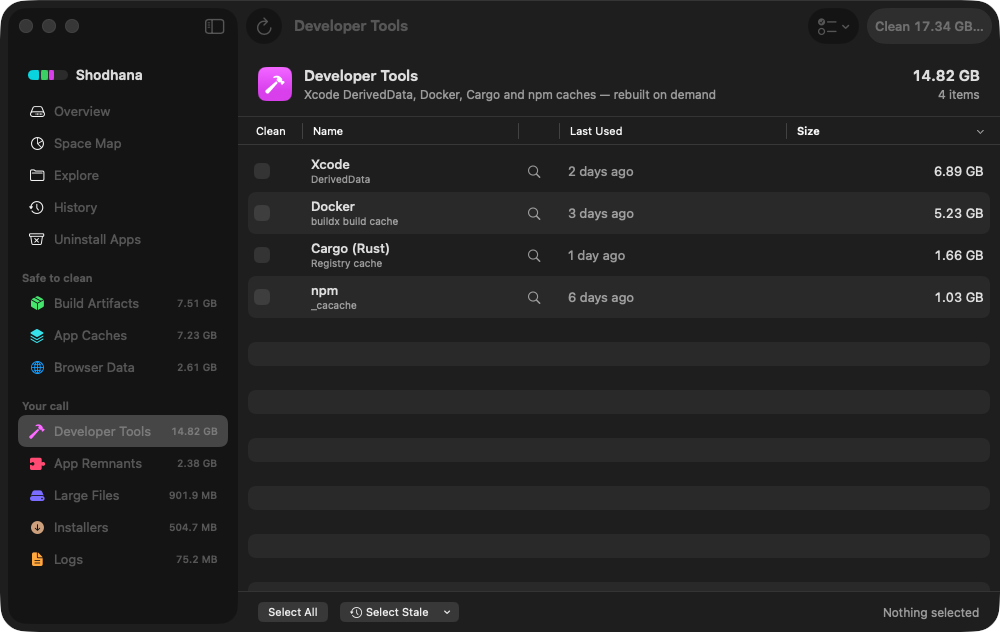
Run this scan on your own Mac: download Shodhana — free for 14 days, Apple Silicon, macOS 14 or later.
Read next
-
node_modules is eating my disk — what to do
Count every copy without double-counting, and know which ones cannot be reinstalled.
-
Homebrew, npm, pnpm and cargo cache sizes
Every toolchain's cache, measured and cleared, in one table.
-
macOS System Data is huge — what's actually in it
Docker.raw is one of the things hiding in that bucket. Here is the rest.
Shodhana reports Docker's real footprint against the reclaimable space inside it, so the file's size and the space you can actually recover are two separate numbers rather than one confusing one. See the developer view.
Download the free trial Buy for $19, once Apple Silicon · macOS 14 or later · 14-day refund